
Best Printer for Homeschool Families, Plus Laminators
The best printer for homeschool families in the UK: ink tank and laser picks for worksheets and portfolio scanning, A4 and A3 laminators, and a refills table.
The best printer for homeschool use for most families is an ink tank all-in-one with two-sided printing and a document feeder, such as the Epson EcoTank ET-3850. It keeps worksheet printing costs low, handles colour maps and phonics cards well, and lets you scan work samples in one pass. If you mainly print black text, or your printer goes unused over the summer, a Brother mono laser is a safer bet.
This guide draws on Printer Support's homeschool printer guide, Spectrum Unlocked's printer guide and laminator guide, Homeschool Quick Tools and Amazon UK listings. The guides focus on the US market, so the recommendations here are all UK models. The editorial team has not tested these machines.
Quick picks
- Best overall: Epson EcoTank ET-3850 (ink tank, duplex, 30-page feeder)
- Best for portfolio scanning plus Ethernet: Epson EcoTank ET-4800
- Best for mostly black and white: Brother HL-L2865DW (mono laser)
- Best laser with a scanner: Brother DCP-L2660DW
- Best laminator: Fellowes Sola A4
- Best for oversized charts: Fellowes Sola A3
- Pouches to buy: Fellowes 250 micron A4
We may earn a commission if you buy through links on this page. It never changes our verdicts. How we review.
Epson EcoTank ET-3850
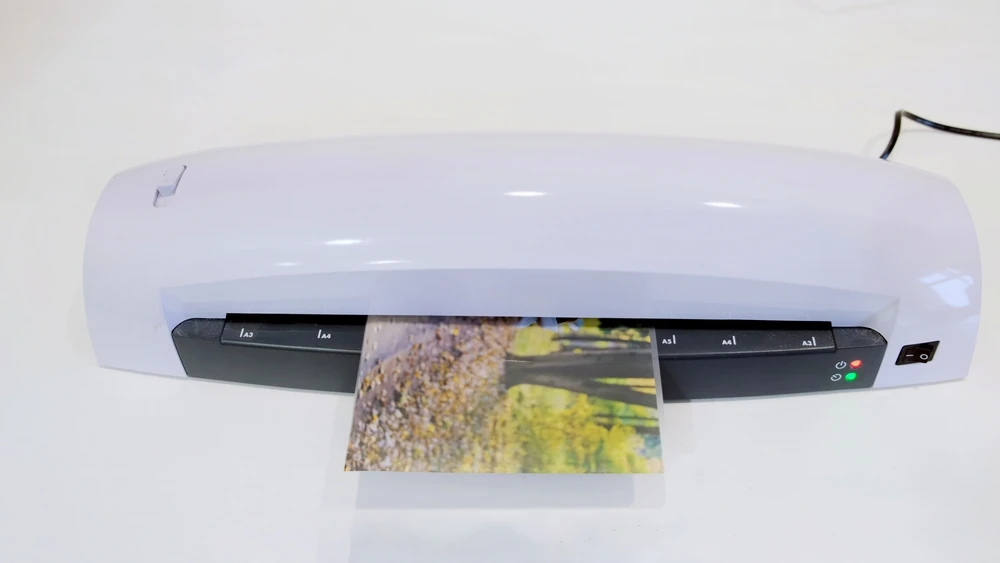
Fellowes Sola A4 laminator
Yearly refills table
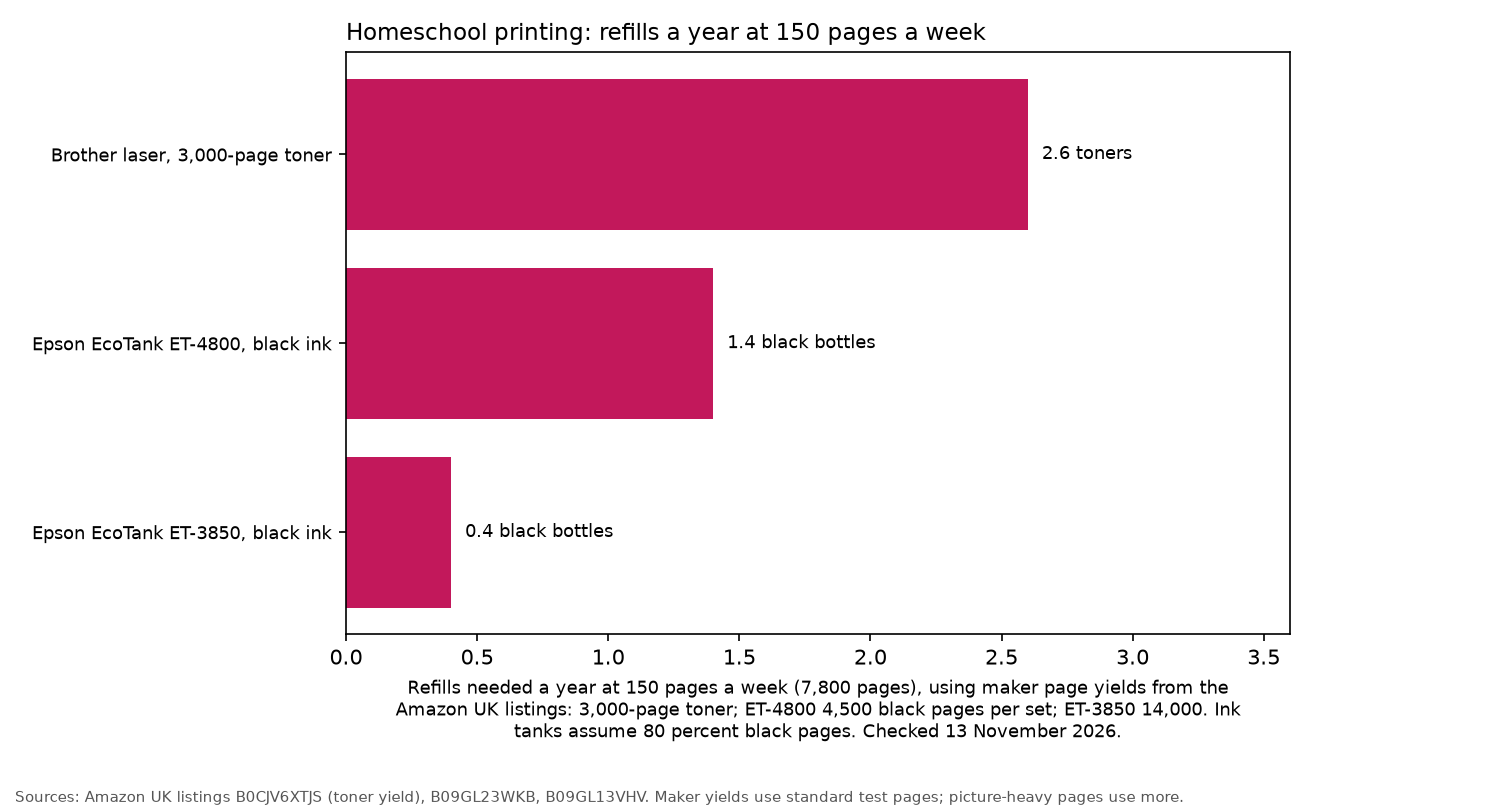
Printer prices change, so rather than guessing running costs, this table shows how many refills each printer type needs in a year. The calculations use page yields from Amazon UK listings.
The method is simple: pages printed each week multiplied by 52. For ink tanks, the assumption is 80 percent black pages and 20 percent colour. The laser prints black only. Manufacturer yields are based on standard test pages, so worksheets with lots of pictures or heavy colour coverage will use more ink.
| Pages a week | Pages a year | Brother laser, 3,000-page toner | EcoTank ET-4800 (4,500 black / 7,500 colour per set) | EcoTank ET-3850 (14,000 black / 5,200 colour per set) |
|---|---|---|---|---|
| 50 | 2,600 | 0.9 toners | 0.5 black, 0.1 colour sets | 0.1 black, 0.1 colour sets |
| 150 | 7,800 | 2.6 toners | 1.4 black, 0.2 colour sets | 0.4 black, 0.3 colour sets |
| 300 | 15,600 | 5.2 toners | 2.8 black, 0.4 colour sets | 0.9 black, 0.6 colour sets |
Both EcoTanks claim to include up to 3 years of ink in the box. Printer Support's guide makes a similar point using US prices: if you're printing a few hundred pages each month, a year's worth of cartridge ink can cost more than buying an ink tank printer.
What matters
- Running cost per page. Printer Support points out that families teaching two or three children can easily get through hundreds of pages a month.
- Two-sided printing cuts the amount of paper needed for worksheet packs in half.
- A document feeder lets you scan a whole stack of work samples into one PDF, rather than opening the lid for every page.
- Ink drying vs toner. Printer Support explains that regular printing helps keep ink tank nozzles clear. Long summer breaks can cause problems, whereas toner doesn't dry out.
- Pouch thickness. Spectrum Unlocked says the pouches make more difference than the laminator itself. Thin pouches leave sheets flexible, while thicker ones give a stiff, card-like finish.
The picks
Epson EcoTank ET-3850: best overall
The ET-3850 has automatic two-sided printing, a 30-page document feeder and a 6.1 cm colour screen. According to the listing, one set of ink bottles prints up to 14,000 black and 5,200 colour pages. There's also an extra black bottle included in the box.
Printer Support rates it as the best overall choice in its US guide. Sold by Amazon.
Who it's for: families printing a mix of colour and black pages most weeks. Who it isn't for: anyone who only prints once a month.
Epson EcoTank ET-3850
Epson EcoTank ET-4800: portfolio scanning plus Ethernet
If you've got plenty of work samples to scan, the ET-4800 is worth a look. It has a 30-page document feeder, fax, Wi-Fi and Ethernet. The listing gives yields of up to 4,500 black and 7,500 colour pages per set of ink.
Printer Support recommends it for budget-friendly portfolio scanning. Sold by Amazon.
Who it's for: families who regularly scan lots of schoolwork. Who it isn't for: anyone who needs automatic two-sided printing, as the listing doesn't mention this feature.
Epson EcoTank ET-4800
Brother HL-L2865DW: best for mostly black and white
For worksheets that are mostly black text, this wireless mono laser is the simple choice. The listing specifies speeds of up to 34 pages per minute, two-sided printing and a 250-sheet paper tray.
Printer Support recommends a Brother mono laser for text-heavy curricula or homes where the printer might sit unused over the summer. Sold by Amazon.
Who it's for: families with mainly text-based curricula. Who it isn't for: anyone who needs colour printing or a scanner.
Brother HL-L2865DW mono laser
Brother DCP-L2660DW: laser with a scanner
The DCP-L2660DW prints, scans and copies. The listing gives print speeds of up to 32 pages per minute, automatic two-sided printing and a 6.7 cm colour touchscreen. It comes with a 1,200-page starter toner, and a 3,000-page toner is available. Product details on the listing include an automatic document feeder. Sold by Amazon.
Who it's for: families who prefer laser reliability and still need to scan. Who it isn't for: anyone who needs colour printing.
Brother DCP-L2660DW 3-in-1 mono laser
Fellowes Sola A4: best laminator
The Fellowes Sola A4 takes pouches up to 125 micron and warms up in 4 minutes. It laminates one A4 sheet per minute, has a release lever to deal with misfeeds and goes to sleep after 30 minutes, according to the listing.
Spectrum Unlocked's advice for a home learning space is to choose an affordable laminator and spend a little more on good pouches. Sold by Amazon.
Who it's for: most homeschooling families. Who it isn't for: anyone who wants to laminate posters.
Fellowes Sola A4 laminator
Fellowes Sola A3: for oversized charts
The Fellowes Sola A3 offers the same specification as the A4 version, but with enough width for A3 sheets. It laminates one A3 sheet per minute. Sold by Amazon.
Spectrum Unlocked makes a useful point about laminator width: it's the feature you can't work around. A narrow machine simply won't fit a poster-size chart.
Who it's for: families making wall charts, timelines and large maps. Who it isn't for: anyone short on storage space.
Fellowes Sola A3 laminator
Fellowes 250 micron pouches
This pack contains 100 glossy A4 pouches, each 250 micron thick (2 x 125 micron). They're the thickest pouches the Fellowes Sola machines accept.
That thickness gives a firm, card-like finish, which is what Spectrum Unlocked recommends for materials that get handled every day. Sold by Amazon.
Fellowes A4 laminating pouches 250 micron (100)
Money-saving tips
- Laminate once, reuse for years. Hundred squares, phonics cards and handwriting sheets can all be written on with a dry-wipe pen.
- Laminate the whole sheet, then cut. Spectrum Unlocked warns that cutting before laminating can cause the edges to shift and the machine to jam.
- Print in weekly batches, which also keeps ink tank nozzles in use.
- Use draft mode when printing practice sheets.
Planning the year? Have a look at the homeschool planners, the UK curriculum guide and the maths manipulatives.
FAQ
Laser or ink tank for homeschool?
Choose an ink tank if you print colour most weeks. A laser makes more sense if you mainly print black text or leave the printer unused for long stretches.
Is a scanner needed for a homeschool portfolio?
It's not essential, but it makes keeping samples of work easier. A document feeder speeds things up considerably.
Which laminator pouches are worth buying?
For cards that get handled every day, choose the thickest pouches your laminator accepts. That's 250 micron (2 x 125) for the Fellowes Sola models.
How much does a worksheet cost to print?
It depends on the current price of ink or toner. The refills table above gives you an idea of how many refills you'd need to buy over a year.
More from In the Trenches of Motherhood: Homeschool · Science kits by age · How we review